Arrow is a puzzle game for Android. There are no ads, no in-app purchases, no accounts and no tracking. It works offline, and the code is open source.
In the first two weeks after it was published, it had about 1.4K installs (at the time of writing). I haven’t run any ads or done any marketing for it.
This is the first of a few posts on building Arrow. The others, on the project setup, releases, accessibility and the Play Store, are coming soon.
Where the idea came from
I was watching a cousin play a similar puzzle game. The puzzle was good. The ads were not.
Leaving ads out was a conscious choice from the start. They break your attention, they’re annoying, and they’re everywhere.
The game
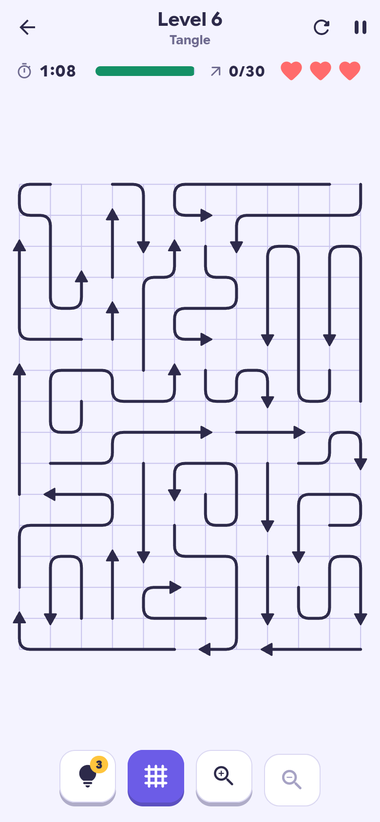
Bent arrows sit on a grid. Tap one and it slides out the way its head points. If another arrow is in the way, it bumps back and you lose a life. Clear every arrow to finish the level.
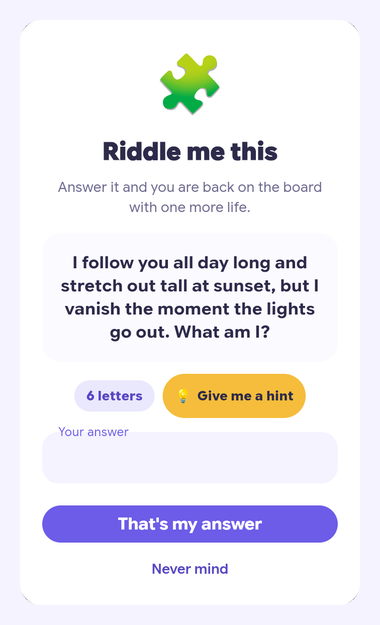
When you run out of lives or hints, you solve a riddle to carry on. The riddles are simple but a bit quirky, and there are 250 of them in each language, English and Hindi.
What I learned
Keep the screen clean, and put the difficulty somewhere else
I wanted the screen to stay as simple as the rule: thin dark arrows like a printed puzzle, the clock and lives above, four buttons below.
The obvious way to make a puzzle harder is more arrows on bigger boards. But a phone screen doesn’t grow. By level 100 there are 150 arrows on one board, and tapping exactly the arrow you meant gets tricky. Any denser, and the hard part becomes touching the right line, not solving the puzzle.
So the difficulty had to come from somewhere other than crowding:
- Twists. The first hundred levels come in five chapters, and each adds one idea: mirrors that turn an arrow’s path, padlocked arrows that wait for their key, arrows hidden in fog, and pairs that leave together.
- A 3D block. After level 100, the board becomes a cube. Each of its six faces is a board of its own, and you turn the block to play the face in front.
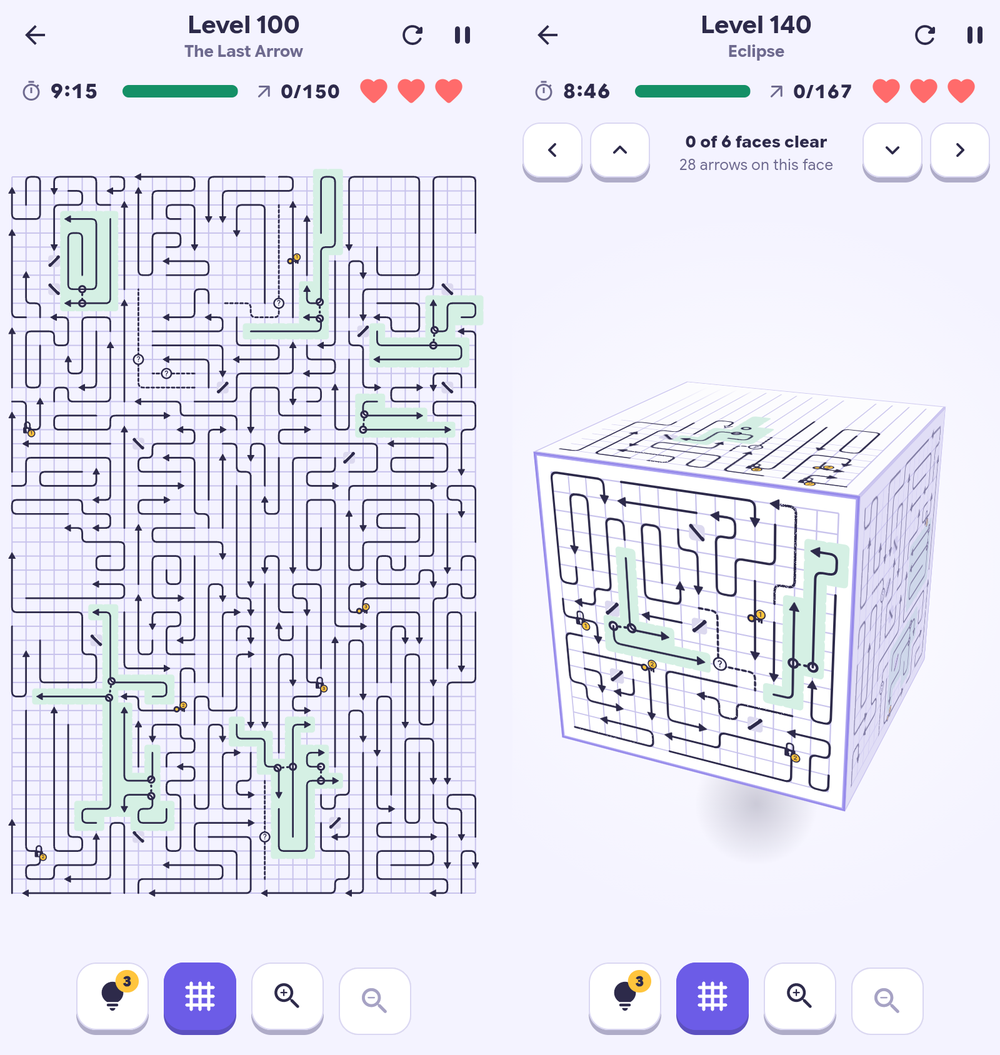
Left: level 100, the last flat level. Right: level 140, on the block. Both are screenshots from the web build.
Level 140 has 167 arrows, more than level 100, but never more than thirty on one face, so each arrow is big enough to tap. The level is harder and the screen is calmer. Later chapters build on the block: faces packed so only one arrow can go at a time, then a box taller than it is wide, like a phone. There are 250 levels now, and still the same four buttons.
Claude Code writes working code, not always simple code
Claude Code wrote nearly all of Arrow’s code. I was the thought partner and the decision maker: what went in, what stayed out, and how it should look and feel.
Claude doesn’t necessarily come up with the clean, simple solution first. It will happily build something complex that somehow works. A game I want to keep adding to has to stay easy to change, so a lot of my job was asking whether there was a simpler way.
The block is an example. Its first version squeezed the hundred flat levels into fifty and needed a migration to move everyone’s progress. The version that shipped leaves levels 1 to 100 as they were and adds the block after them, so nothing needed migrating.
Judge a change by playing it
Every pull request deploys its own playable web build, with a link in a comment. I reviewed changes by playing them, not by reading Dart I couldn’t judge well.
Let the agent check its own work
Claude Code ran in the cloud, where there’s no Android emulator. So the web build stood in for a phone. A script opens the game in headless Chromium at a phone’s size and plays through it: any level, a hint, a bump, a riddle, the desktop layout. It saves a screenshot of each screen, and Claude looks at those to check its own changes before I see them. If the game throws an error along the way, the script fails.
The same script runs on every pull request. The screenshots are saved with the run, and before-and-after shots, with what changed boxed, are posted on the pull request.
Write things down for the agent
Claude Code reads a CLAUDE.md file at the start of every session. In Arrow it holds the rules of the game, the build commands and every gotcha found along the way. Each session starts with what the earlier ones figured out, instead of finding it again.
Launch early on the Play Store
A new developer account can’t publish straight away. You need 12 testers to keep the app installed for 14 days in a closed test. Then Google asks a set of questions, and approval for the public release took close to another 7 days.
In total, expect about a month from the first test install to going live. Get a rough version into the closed test early, and keep building while you wait.
Build a web version too
During testing, every change means asking people to update, or uninstall and reinstall, the app. Arrow also runs in the browser, so I could send a link and get feedback without anyone touching their phone.
Links
- Play Store: Arrow on Google Play
- Play in the browser: abhiabhi94.github.io/arrow-game
- Source: github.com/abhiabhi94/arrow-game